


traffic.getmyads.com is a subdomain owned by an advertising company. In this case a company that after signing contracts with websites will use this address to show ads on them. You might be experiencing however, unexpected and annoying interruptions of ads coming from traffic.getmyads.com in new tabs or new windows.
Usually these ads when opened or clicked on them, will take you to an unknown website. Just to be clear, we’re talking about intrusive, potentially dangerous and most of all infuriating ads.
Unscrupulous developers have no regret in looking for ways to make money that involve contracts with the advertising company GetMyAds; a nasty surprise is what their users will be confronted with by means of huge amounts of ads coming from traffic.getmyads.com. The main issue here is that we have no way of telling which tool is causing these ads to be shown, because they are seen all the time and not just when we’re using one or another specific tool.
Instead of wasting your time uninstalling tools one by one, and after making sure that free anti-viruses are of no help against this kind of adware, we put together a list, which we present below of free tools that will help you solve this problem and get rid of the malicious tool in just a few seconds.

How to remove traffic.getmyads.com ?
Remove traffic.getmyads.com with MalwareBytes Anti-Malware
Malwarebytes Anti-Malware is a light-weight anti-malware program that is excellent at removing the latest detections.
-
Download Malwarebytes Anti-Malware to your desktop.
Premium Version Free Version (without Real-time protection) - Install MalwareBytes Anti-Malware using the installation wizard.
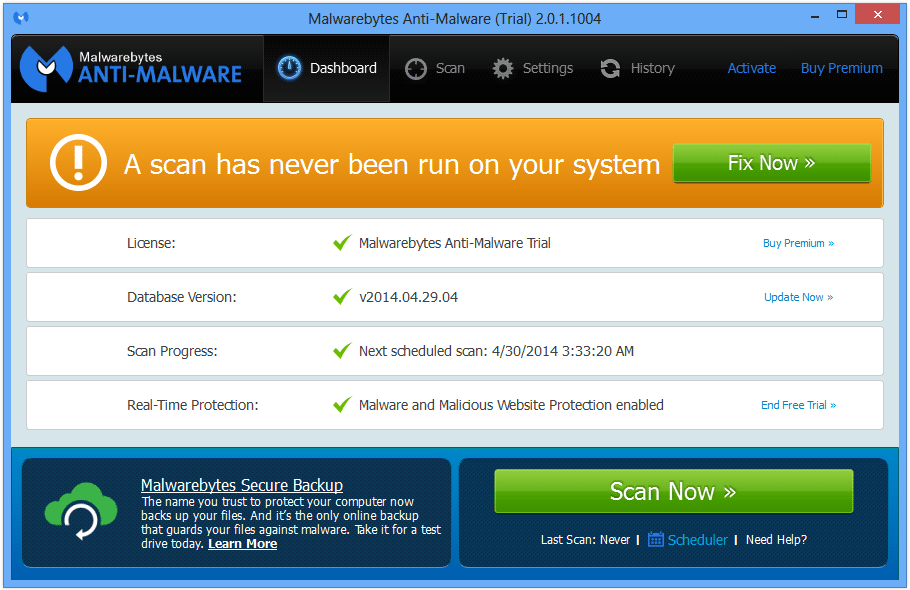
- Once installed, Malwarebytes Anti-Malware will automatically start and you will see a message stating that you should update the program, and that a scan has never been run on your system. To start a system scan you can click on the Fix Now button.
- If an update is found, you will be prompted to download and install the latest version.
- Malwarebytes Anti-Malware will now start scanning your computer for traffic.getmyads.com.
- When the scan is complete, make sure that everything is set to Quarantine, and click Apply Actions.
- When removing the files, Malwarebytes Anti-Malware may require a reboot in order to remove some of them. If it displays a message stating that it needs to reboot your computer, please allow it to do so.
Remove traffic.getmyads.com with AdwCleaner
AdwCleaner is a very useful tool designed to eliminate unwanted toolbars, browser hijackers, redirects and potentially unwanted programs (PUPs) in Internet Explorer, Firefox, Chrome or Opera. AdwCleaner will require no set up and can be ran in a instant to examine your pc.
-
Please download AdwCleaner by Xplode and save to your Desktop :
Download AdwCleaner - Double-click on AdwCleaner.exe to run the tool (Windows Vista/7/8 users : right-click and select Run As Administrator).
- Click on the Scan button.
- After the scan has finished, click on the Clean button..
- Press OK again to allow AdwCleaner to restart the computer and complete the removal process.
Click here to go to our support page.