


differentia.ru is a domain name usually linked to several worms that spread through the infection of external support media like USB memories or external hard drives. Presence on your system of this parasite might outset an alert message from Avast mentioning URL MAL and the addresses differentia.ru/diff.php or differentia.ru/order.php
Be aware that external support medias are a preferred infection channel nowadays. As they are used in many different systems, it’s not difficult for a malicious person to save a virus into them. Virus like the ones linked to differentia.ru usually create an autorun.inf file in the infected media. As soon as that media (an USB memory for example) is inserted into a new system, Windows will execute that file, making it possible for the virus to infect your computer.
First of all you should be very careful about who gets access to your USB memories, plus make sure every time you’re about to insert them into a new system that you can trust it and last but not least you yourself must have an updated antivirus. Of course in some case even all these precautions are not enough. With the help of the tools we recommend below you’ll be able to clean up every one of you external supports from any possible virus that could be present on them. (All tools are free).
To protect yourself from infections coming from USB memories, we also recommend you to deactivate the autoplay function in Windows, so autorun files won’t be automatically executed either from USB memories, CDs or any other external support.
You should know that the page differentia.ru is considered as a malware by 7 security software.
Show the other 3 anti-virus detections
How to remove differentia.ru ?
Remove differentia.ru with AdwCleaner
AdwCleaner is a tool that research for and removes Adware, Toolbars, Potentially Unwanted Programs (PUP), and browser Hijackers from your system. If you use AdwCleaner you can quickly eliminate many of these types of programs for a better user experience on your pc and while browsing the web.
-
Download AdwCleaner (Official link and direct-download) :
Download AdwCleaner - Select AdwCleaner.exe with right mouse click and Run as Administrator.
- If User Account Control asks you to allow AdwCleaner.exe to make changes to your computer, press Yes to continue.
- Start scanning your computer for any malicious threats by selecting the Scan button, please wait.
- If AdwCleaner is done, it will display a list of malicious items detected, If you have nothing to uncheck, continue to the removal process and select the Clean button.
- Reboot your computer.
Remove differentia.ru with MalwareBytes Anti-Malware
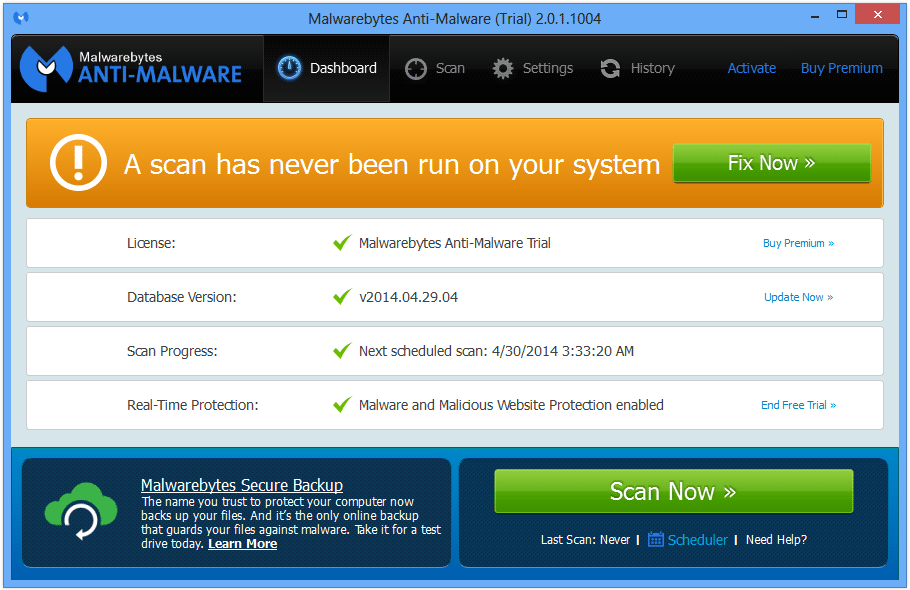
Malwarebytes Anti-Malware is a light-weight anti-malware program that is excellent at removing the latest detections.
-
Download Malwarebytes Anti-Malware to your desktop.
Premium Version Free Version (without Real-time protection) - Install MalwareBytes Anti-Malware using the installation wizard.
- Once installed, Malwarebytes Anti-Malware will automatically start and you will see a message stating that you should update the program, and that a scan has never been run on your system. To start a system scan you can click on the Fix Now button.
- If an update is found, you will be prompted to download and install the latest version.
- Malwarebytes Anti-Malware will now start scanning your computer for differentia.ru.
- When the scan is complete, make sure that everything is set to Quarantine, and click Apply Actions.
- When removing the files, Malwarebytes Anti-Malware may require a reboot in order to remove some of them. If it displays a message stating that it needs to reboot your computer, please allow it to do so.
Remove differentia.ru with HitmanPro
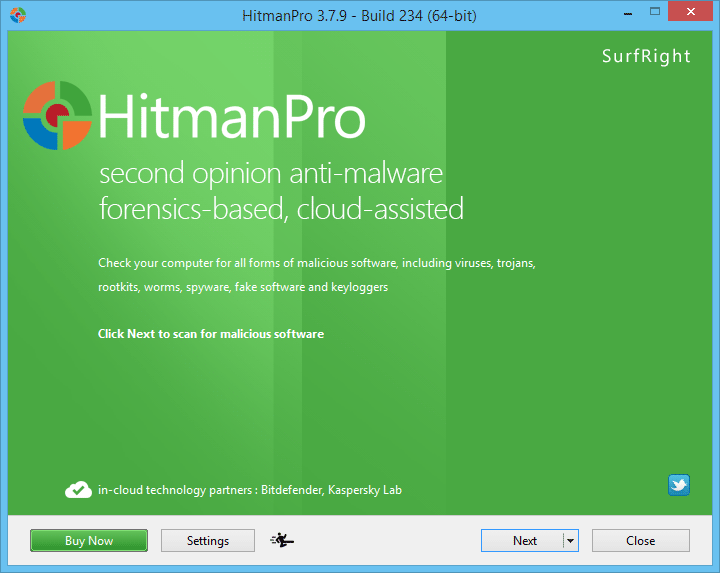
HitmanPro is a second opinion scanner designed to rescue computers that have become infected with viruses, spyware, Trojans, rootkits and other malware, despite continuous protection from up-to-date antivirus software.
-
You can download HitmanPro from the below link:
Download HitmanPro - Double-click on the file named HitmanPro.exe (for 32-bit versions of Windows) or HitmanPro_x64.exe (for 64-bit versions of Windows).
- Click on the Next button, to install HitmanPro on your computer.
- HitmanPro will now begin to scan your computer for differentia.ru malicious files.
- When it has finished it will display a list of all the malware that the program found as shown in the image below. Click on the Next button, to remove differentia.ru virus.
Click here to go to our support page.