


BetterSearch.tk o Better Search is a website that accommodates itself into people’s computers when they lack the proper awareness while downloading and installing software coming from the net.
BetterSearch really takes advantage of users’ negligence to interfere with their browsers and show huge amounts of unexpected ads.
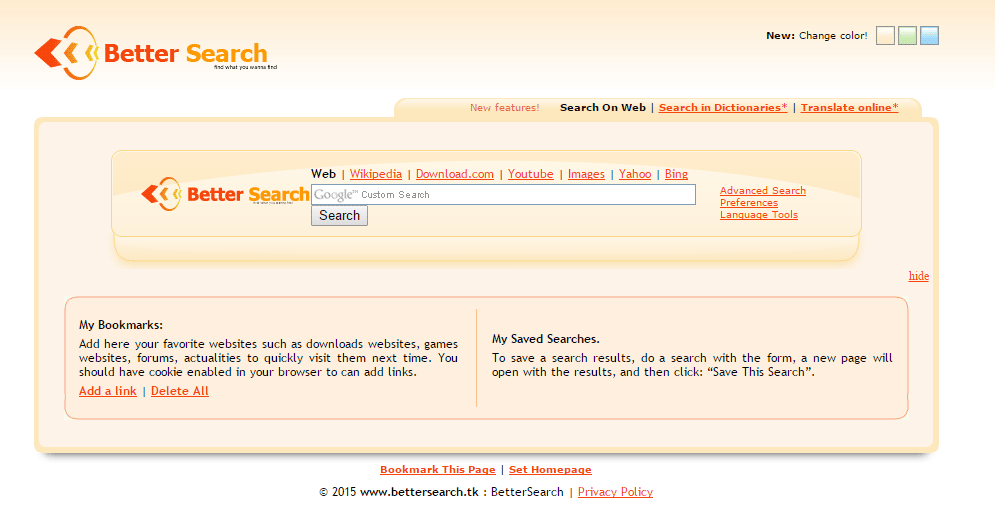
After getting installed onto a new system, BetterSearch modifies several settings specially those related to web browsers. It goes first and foremost after the default homepage and search engine. This alterations are done in such a way that to recover your previous settings becomes really difficult if not impossible.
Even though BetterSearch‘s presence on your computer is not to be considered and alarming threat for your PC’s security, it still remains a big issue because it will slow down all execution processes causing at some point several unexpected bugs as well.
A lot of websites will offer you solutions to remove BetterSearch but these are usually frauds, because they offer you a tool that in the end you’ll have to pay for, plus it will be really hard to remove. The guide offered in this website includes only free and efficient tools to remove BetterSearch from Chrome, Firefox and Internet Explorer.

How to remove BetterSearch ?
Remove BetterSearch with AdwCleaner
The AdwCleaner program will scan your computer and internet browser for BetterSearch, browser extensions and registry keys, that may have been installed on your computer without your knowledge.
-
You can download AdwCleaner utility from the below button :
Download AdwCleaner - Before starting AdwCleaner, close all open programs and internet browsers, then double-click on the file AdwCleaner.exe.
- If Windows prompts you as to whether or not you wish to run AdwCleaner, please allow it to run.
- When the AdwCleaner program will open, click on the Scan button.
- To remove malicious files that were detected in the previous step, please click on the Clean button.
- Please click on the OK button to allow AdwCleaner reboot your computer.
Remove BetterSearch with MalwareBytes Anti-Malware
Malwarebytes Anti-Malware detects and removes malware like worms, Trojans, rootkits, rogues, spyware, and more. All you have to do is launch Malwarebytes Anti-Malware Free and run a scan. If you want even better protection, consider Malwarebytes Anti-Malware Premium and its instant real-time scanner that automatically prevents malware and websites from infecting your PC.
-
Download MalwareBytes Anti-Malware :
Premium Version Free Version (without Real-time protection) - Install MalwareBytes Anti-Malware using the installation wizard.
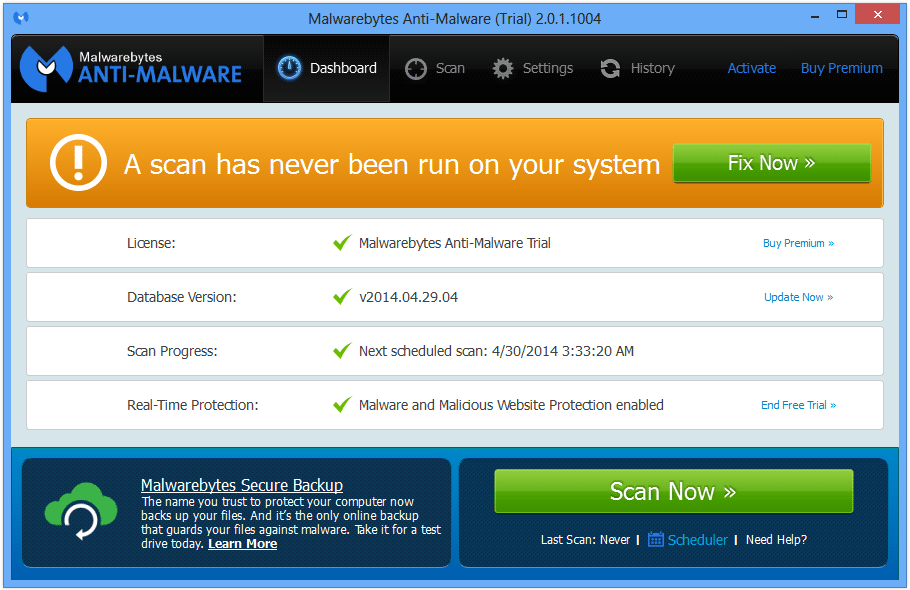
- Once installed, Malwarebytes Anti-Malware will automatically start and you will see a message stating that you should update the program, and that a scan has never been run on your system. To start a system scan you can click on the Fix Now button.
- Malwarebytes Anti-Malware will now check for updates, and if there are any, you will need to click on the Update Now button.
- Once the program has loaded, select Scan now.
- When the scan is done, you will now be presented with a screen showing you the malware infections that Malwarebytes’ Anti-Malware has detected. To remove the malicious programs that Malwarebytes Anti-malware has found, click on the Quarantine All button, and then click on the Apply Now button.
- When removing the files, Malwarebytes Anti-Malware may require a reboot in order to remove some of them. If it displays a message stating that it needs to reboot your computer, please allow it to do so.
Click here to go to our support page.